


Hacking Minigame
Hacking Minigame
Couldn't load pickup availability
Downloadable files along with this product
No files to download
Details
This Hacking Minigame Module lets you create bite-sized hacking puzzles in your UEFN projects. It is built on Scene Graph: the manager and every hacking location are Verse components you drop onto an entity or prefab. Configure how cell patterns are generated, how challenges progress and how the UI responds, then swap the whole look from the five finished styles that ship with it.
Perfect for: sci-fi terminals, security door puzzles, or any scenario where quick-reaction hacking adds tension. It's easy to extend and quick to integrate.
NEW in v3.1.1!
Built on Scene Graph
Every creative device became a Verse component, so a hack is now assembled from entities and prefabs instead of wired-up device actors:
- Add
hacking_manager_componentto your core entity, then drophacking_location_component,concurrent_hacking_location_componentorshared_hacking_location_componentonto any entity or prefab - Locations reach the manager through a scene query, so there are no manager references to wire up on every instance
- The separate start button is gone: a location drives the Interactable component sitting next to it and writes the prompt text itself
- A ready-made
P_HackingLocationprefab is included, so a working hack station is one drag into your level
Five Complete UI Styles
Five finished looks now ship with the module, each a set of seven material instances covering the console background, the notch and all five cell states:
- Cyber Blue — the original look. Rounded cells, blue gradients, animated result states.
- Amber CRT Terminal — square corners, flat fill, thick amber stroke on near-black.
- Synthwave Neon — pill-shaped cells, animated magenta to cyan gradients, soft glow on deep violet.
- Toxic Biohazard — slanted parallelogram cells, acid green on black, hazard-yellow warnings.
- Clean Minimal — near-white flat fill, hairline stroke, colour only on the state cells.
Pick one on the location's UI Configuration, or override the background, notch and cell materials per challenge so a hack changes its whole visual identity as the player advances. The included prefab does exactly that across its five challenges.
Upgrading from 2.x: v3 is a breaking change. Old hacking device actors have to be removed and replaced with entities or the included prefab, and their editable values re-entered. Challenges, materials and gameplay settings all carry over.
As seen on:
Airlock Crisis (2888-6118-5758)

Overview
One core entity carries hacking_manager_component alongside CoreModule.custom_tick_component and game_manager_component. Between them they own the per-player hacking HUD, the frame-accurate timer and elimination handling. Each location component then runs its own puzzles: grid generation, timing, success and failure detection, and teardown when the round ends, so editor play cycles always start clean. Styling and layout live in one place, hacking_ui_configuration, and any challenge can override them.
Key Features
-
Scene Graph Components
Add a hacking component to any entity or prefab — a console mesh, a door panel, a terminal — and it works wherever you place it. There are no device actors to keep in sync, and every instance of a prefab keeps its own settings. -
Custom Grid Patterns
For everything from simple memory games to multi-step lock puzzles. Each challenge sets its own row and column count, how many cells make up the answer and how long the player has, and a location can chain as many challenges as you like for layered security. -
Five UI Styles, Swappable Per Challenge
Cyber Blue, Amber CRT Terminal, Synthwave Neon, Toxic Biohazard and Clean Minimal are all included. Set one on the location, or override the background, notch and cell materials challenge by challenge. Duplicating a style folder and recolouring it gives you a sixth. -
Three Ways to Play
A single-player location takes one hacker at a time by default, and Max Concurrent Players raises that ceiling or removes it. A concurrent location gives every player an isolated copy of the same challenges, started from Verse for phone apps and custom flows. A shared location runs a synchronised multiplayer round on one pattern, eliminating whoever fails. -
Interact to Start
Players interact with the location itself. The prompt writes itself from the location's state — "START HACKING", "1/2 ACTIVE", "JOIN (3 WAITING)" — and switches off when hacking is disabled or the location is full. -
Lifecycle & Result Tracking
Spawning, timing, success and failure detection and cleanup are all handled, with trigger outputs, accolades and HUD messages to hook into your own game logic. A player's hack is cancelled if they are eliminated mid-attempt. -
Hack Loot Location
Turn a successful hack into a timed loot window: a barrier that drops, alarm lights and audio, timers for the delay and the loot phase, and a teleporter that clears the room when time is up. Start and reset the cycle from triggers. -
Ready-Made Prefab
P_HackingLocationships with five challenges of escalating difficulty, from a 3x3 grid with four cells up to 5x5 with eight, each one demonstrating a different style.
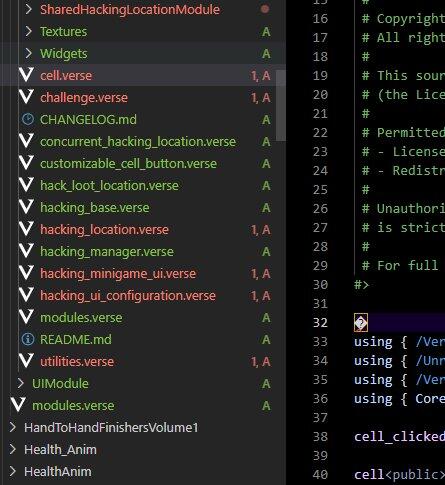
Project Structure
Content/
├── CoreModule/
│   ├── core_components.verse
│   ├── custom_tick_component.verse
│   ├── game_manager_component.verse
│   └── utilities.verse
├── HackingMinigameModule/
│   ├── Materials/
│   │   ├── Styles/
│   │   │   ├── Minimal/      (8 material instances)
│   │   │   ├── Synthwave/    (8 material instances)
│   │   │   ├── Terminal/     (8 material instances)
│   │   │   └── Toxic/        (8 material instances)
│   │   ├── MI_UI_HackingBackground.uasset
│   │   ├── MI_UI_HackingCell_Correct.uasset
│   │   ├── MI_UI_HackingCell_Default.uasset
│   │   ├── MI_UI_HackingCell_Selected.uasset
│   │   ├── MI_UI_HackingCell_Warning.uasset
│   │   ├── MI_UI_HackingCell_Wrong.uasset
│   │   ├── MI_UI_HackingCell.uasset
│   │   ├── MI_UI_Notch.uasset
│   │   ├── MI_UI_Rectangle_CellGlow.uasset
│   │   ├── MI_UI_Rectangle_HackingCell.uasset
│   │   ├── MI_UI_Rectangle_HackingWindow.uasset
│   │   ├── MI_UI_Rectangle_Notch.uasset
│   │   ├── MI_UI_TextureEffects_HackingMinigame_DifficultyIcon_Hard.uasset
│   │   ├── MI_UI_TextureEffects_HackingMinigame_DifficultyIcon_Medium.uasset
│   │   └── MI_UI_TextureEffects_HackingMinigame_DifficultyIcon.uasset
│   ├── Prefabs/
│   │   └── P_HackingLocation.uasset
│   ├── SharedHackingLocationModule/
│   │   └── shared_hacking_location_component.verse
│   ├── Textures/
│   │   ├── hacking_minigame_background.png
│   │   ├── hacking_minigame_background.uasset
│   │   ├── hacking_minigame_cell_correct.png
│   │   ├── hacking_minigame_cell_correct.uasset
│   │   ├── hacking_minigame_cell_off.png
│   │   ├── hacking_minigame_cell_off.uasset
│   │   ├── hacking_minigame_cell_selected.png
│   │   ├── hacking_minigame_cell_selected.uasset
│   │   ├── hacking_minigame_cell_warning.png
│   │   ├── hacking_minigame_cell_warning.uasset
│   │   ├── hacking_minigame_cell_wrong.png
│   │   ├── hacking_minigame_cell_wrong.uasset
│   │   ├── hacking_minigame_icon.uasset
│   │   ├── hacking_minigame_notch.png
│   │   └── hacking_minigame_notch.uasset
│   ├── Widgets/
│   │   ├── UW_Button.uasset
│   │   ├── UW_CellButton.uasset
│   │   └── UW_HackingMinigame.uasset
│   ├── cell.verse
│   ├── challenge.verse
│   ├── CHANGELOG.md
│   ├── concurrent_hacking_location_component.verse
│   ├── customizable_cell_button.verse
│   ├── hack_loot_location_component.verse
│   ├── hacking_base_component.verse
│   ├── hacking_location_component.verse
│   ├── hacking_manager_component.verse
│   ├── hacking_minigame_ui.verse
│   ├── hacking_ui_configuration.verse
│   ├── modules.verse
│   ├── README.md
│   └── utilities.verse
├── UIModule/
│   └── utilities.verse
└── modules.verse
Frequently Asked Questions
Do I need UEFN, or does the Hacking Minigame work in Fortnite Creative 1.0?
It needs UEFN. The puzzle screen and game logic are Verse code and the hacking locations are Scene Graph components, and neither can be added from the in-game Creative toolset.
How does the hack actually play?
The player sees a grid, a pattern of cells lights up and then hides, and they must click the same cells from memory before the timer runs out. Each challenge has its own grid size, number of cells and time limit, and the player has to clear every challenge in order.
How do players start a hack?
They interact with the hacking location itself. Each location is an entity carrying an Interactable component next to the hacking component, and the location writes the prompt text on it, from "START HACKING" to "1/2 ACTIVE" or "JOIN (3 WAITING)", and switches it off when hacking is disabled or the location is full. Version 2.x used a separate Button device, which no longer exists.
Can several players hack at the same time?
Yes, in three ways. A Hacking Location allows one player at a time by default, and you can raise Max Concurrent Players or set it to 0 for unlimited. A Concurrent Hacking Location has no limit at all and gives every player an isolated copy of the challenges, started from Verse so you can launch it from a phone app or your own code. A Shared Hacking Location runs a multiplayer round where everyone sees the same pattern and anyone who fails is eliminated.
Can I change the look of the puzzle?
Yes. Five finished styles are included, Cyber Blue, Amber CRT Terminal, Synthwave Neon, Toxic Biohazard and Clean Minimal, and each one is a set of seven material instances. Pick one on the location's UI Configuration, or override the background, notch and cell materials per challenge so each round looks different. Grid and window size are editable too, and duplicating a style folder and changing its colours gives you your own.
What do I need to place in my island besides the components?
One core entity holding the manager, tick and game manager components, then for each hack station an entity with a mesh, an Interactable component and the hacking component. That station wires up four Trigger devices for enabling and disabling hacking and for success and failure, an Accolades device and a HUD Message device; a multiplayer location adds entry and exit Teleporters and a second Accolades device. The optional loot room also uses a Barrier, a Volume, a Teleporter, two Timers, an Audio Player and Customizable Lights for the alarm.
I already own version 2.x, can I just drop the new files in?
No, v3 is a breaking change. Every creative device became a Verse component, so the old device actors have to be removed and replaced with entities or the included prefab, and their editable values re-entered. Your challenges, materials and gameplay settings carry over.
NOTE: Level design is not included—this package provides the code and logic system only. The code is sold as is. Updates to the code and bug fixes can be obtained but aren't guaranteed.


I just bought it, is it out of date ? Code has many errors.
great system, easily and customizable setup. No complaints